
Run the whole project from curation to install day.
KLDR Studio replaces the spreadsheet, email, and PDF juggling behind your client work. One place to specify every product (furniture, fixtures, finishes, appliances, and more), price it, get approvals, order, and hand off. Live vendor data keeps every number current.
"It has taken at least four manual workflows and put them into one application. It makes me look more professional, more put together. My client's first reaction was, 'compared to what we did before, this is amazing. I actually enjoyed this.' It was night and day."
Built by Headmark. In daily use in a working design studio.

A single house lives in a dozen places.
Right now a single house lives across a pricing spreadsheet, an inbox full of vendor confirmations, a stack of PDFs, and a board somewhere else. The prices drift, the lead times go stale, and you find out a piece was discontinued the week it was supposed to ship.
That surprise is the expensive part: a blown delivery date, or a margin you quoted from an old number, caught too late to fix quietly. KLDR pulls all of it into one place and keeps the data current, so the surprise never lands in front of a client.
From the first vendor link to install day.
Each step of the job in one place, and each part shows the right information for that moment, nothing else.
Curate from anywhere
Pull products into a room or board from anywhere on the web: paste a vendor URL and the product lands on your board, image and details pulled in for you. Try pieces together, swap options, and land on the final set. Everything lives in one board instead of scattered across tabs and screenshots.
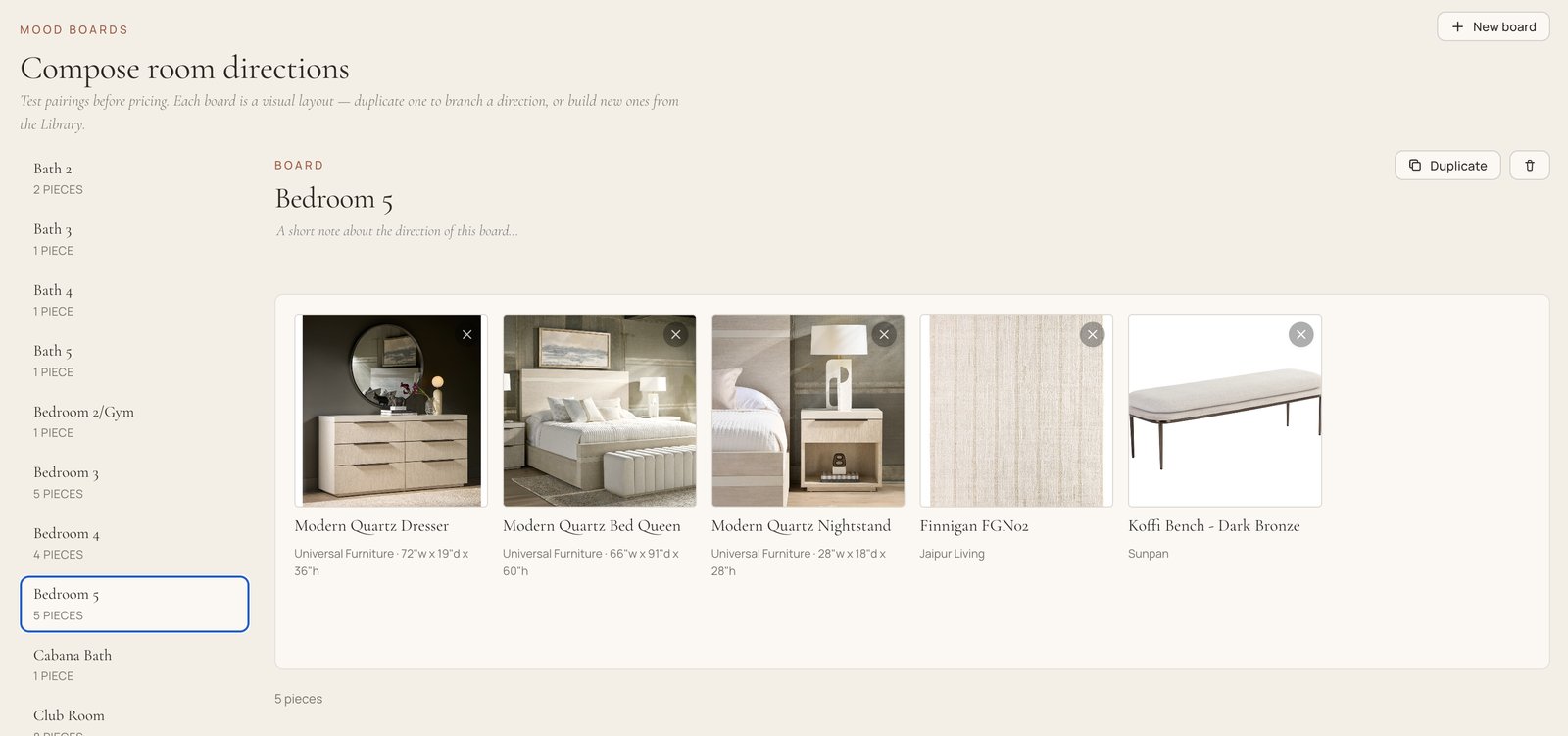
"I can put everything into one board and see it all at once. I don't have favorites saved across every vendor's site anymore. It's in one spot where I can source."
Live vendor data
Availability, lead times, pricing, dimensions, and images stay current, and every item shows a "last refreshed" timestamp so you and your client know exactly how fresh the data is. Refresh one item, a whole vendor, an entire house, or the full catalog on demand. The discontinued piece and the blown lead time show up now, not on install day.
"If something I've specified is about to go out of stock, I can tell the client now, order it or we lose it, instead of finding out two weeks later and having to reselect a whole room around a sofa I can't get anymore."
Budget and margin, together
KLDR tracks three prices on every product: your trade cost, MSRP, and the client price in between. Per-vendor pricing rules apply your markup automatically, so as you design you watch budget and profit at once. Stay in the green and hit your revenue goal without a separate spreadsheet.
"I have direct visibility at all times. I can source in real time and see how much I've spent in a room, and I can see my own margins too. Before, I didn't really look at the budget until the very end."
Client feedback and approval
Put the curated set in front of your client, let them comment and compare options, and converge on an agreed set. When they're ready, capture a formal sign-off. It's branded, clean, and easy to read: a document that looks like your design work.
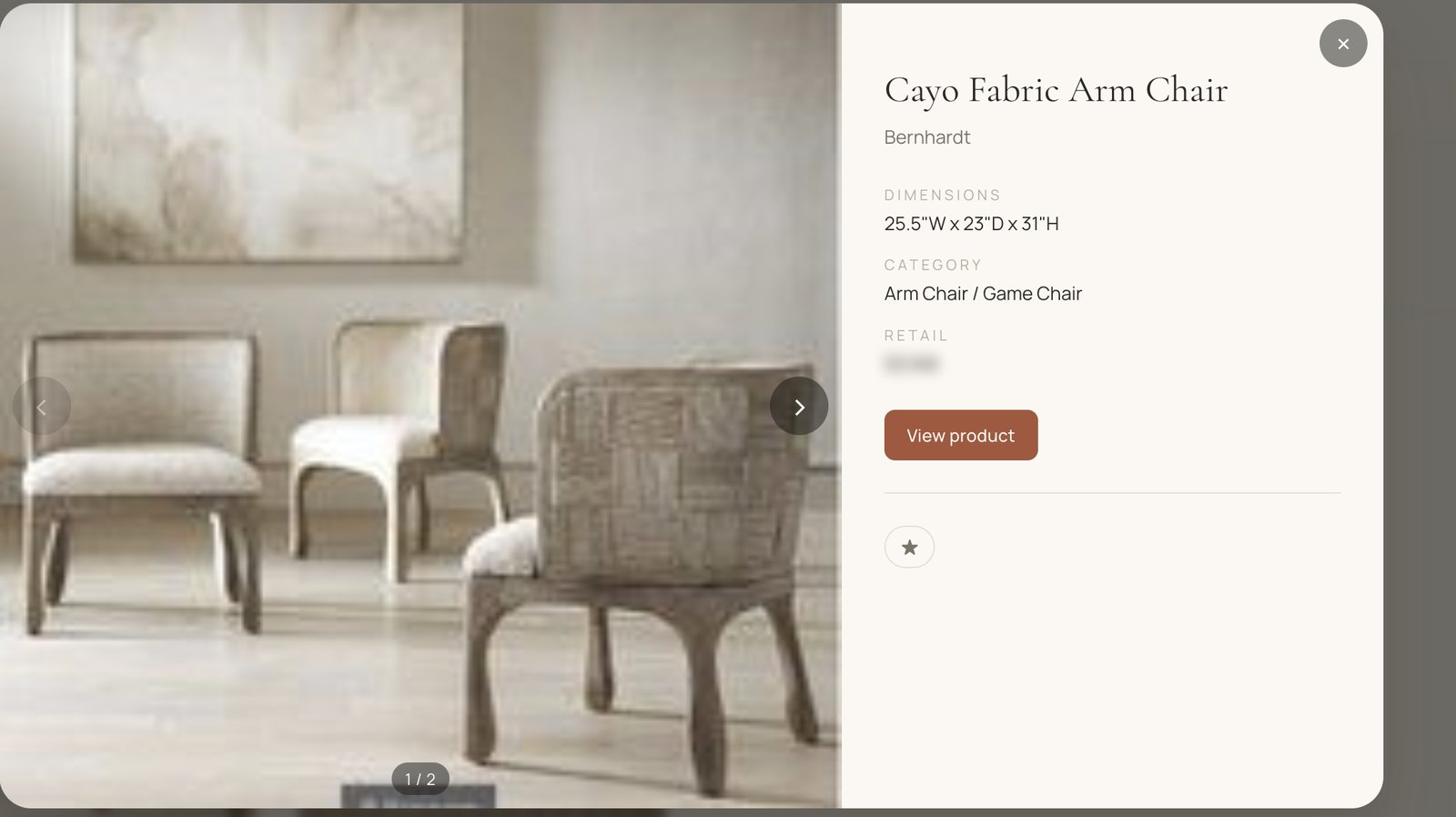
"Before, I was putting it on the client to imagine everything in their head, which is exactly what they hire a designer to do for them. Now the board does that for them. I want my client to feel like it's easy to work with me."
Ordering and tracking
Generate clean order sheets per vendor, and track what's ordered versus what isn't, including the messy real case where you added products later and half a room is already on its way. Order confirmations and shipping emails feed back in, so delivery dates stay current without you re-reading your inbox.
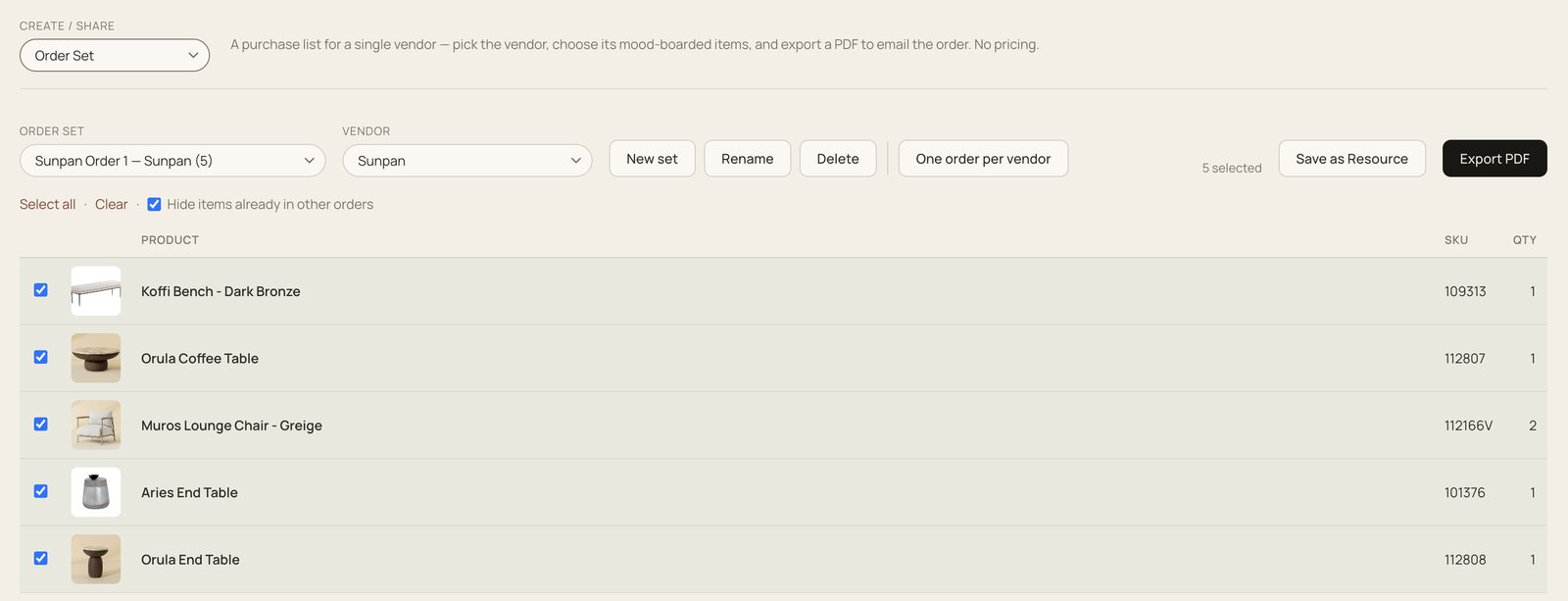
"It takes my mood board, makes the order, and submits it to my vendors. Before, I'd copy-paste out of a spreadsheet and strip out the things I didn't want. Now it's so much easier."
Receiver and installer sheets
Send your receiver exactly the subset they need to quote: dimensions and detail, none of the pricing they don't. Give your installer a sheet of what goes in which room, with measurements and no prices. Each hand-off shows only what that person needs.
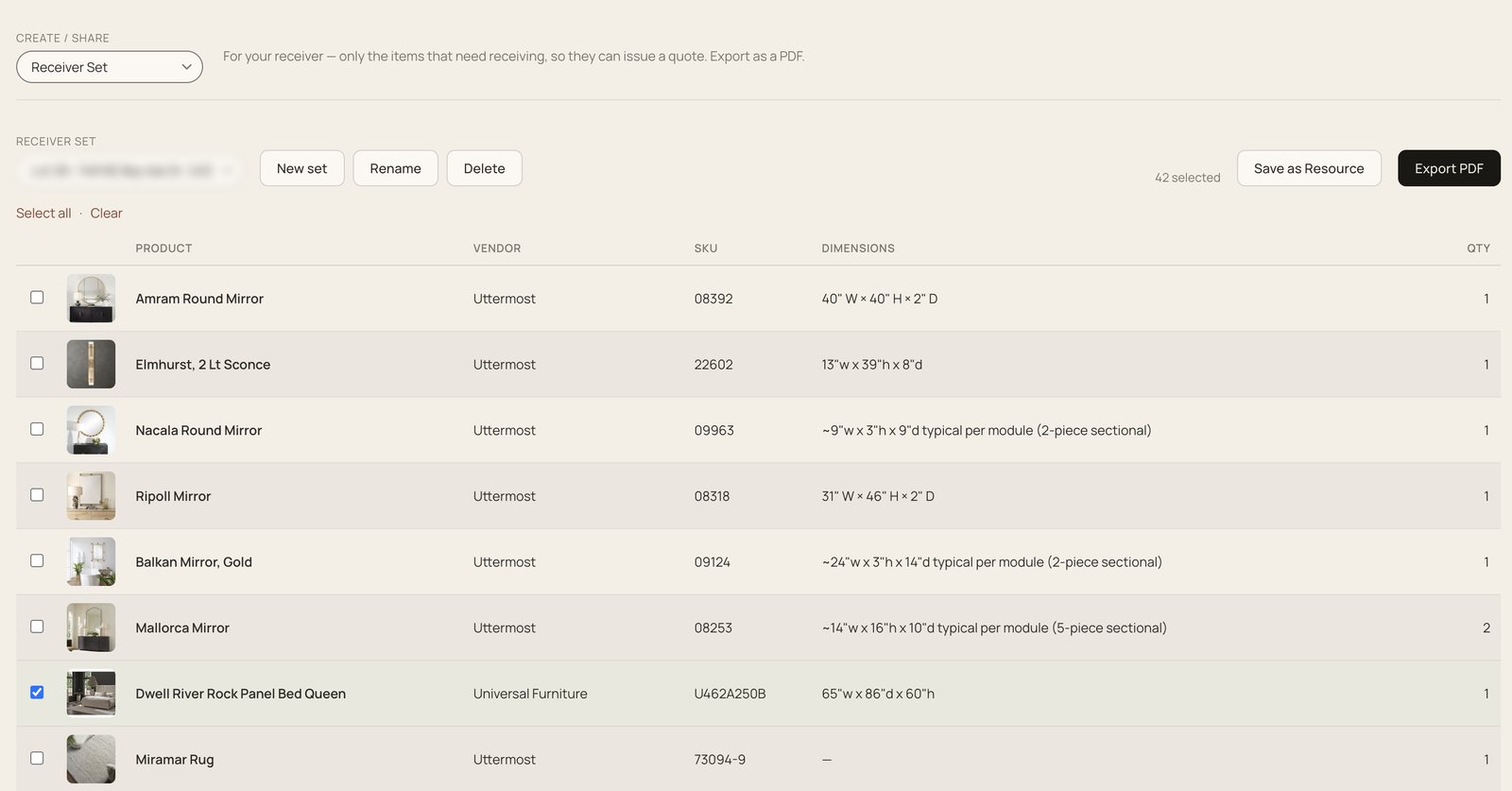
"I just download the whole list and send it to my receiver to quote against, instead of pulling every single quote from every single vendor by hand."
Showcase
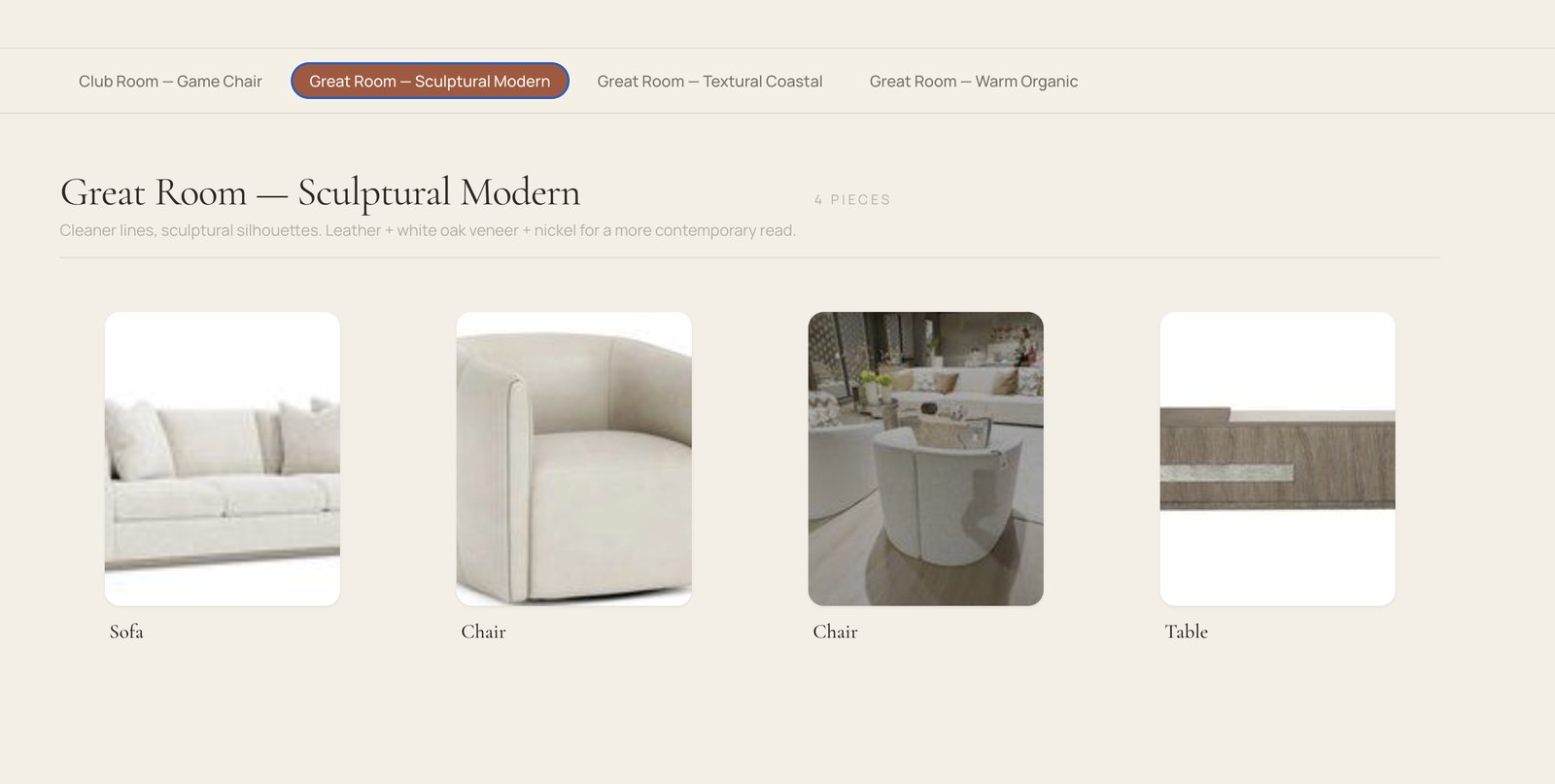
Present the selected products in a clean, flipbook-style view: no app chrome, no budget columns, no clutter. Just the selected pieces, full-bleed, the moment the room comes together in front of the client.
Floor plan
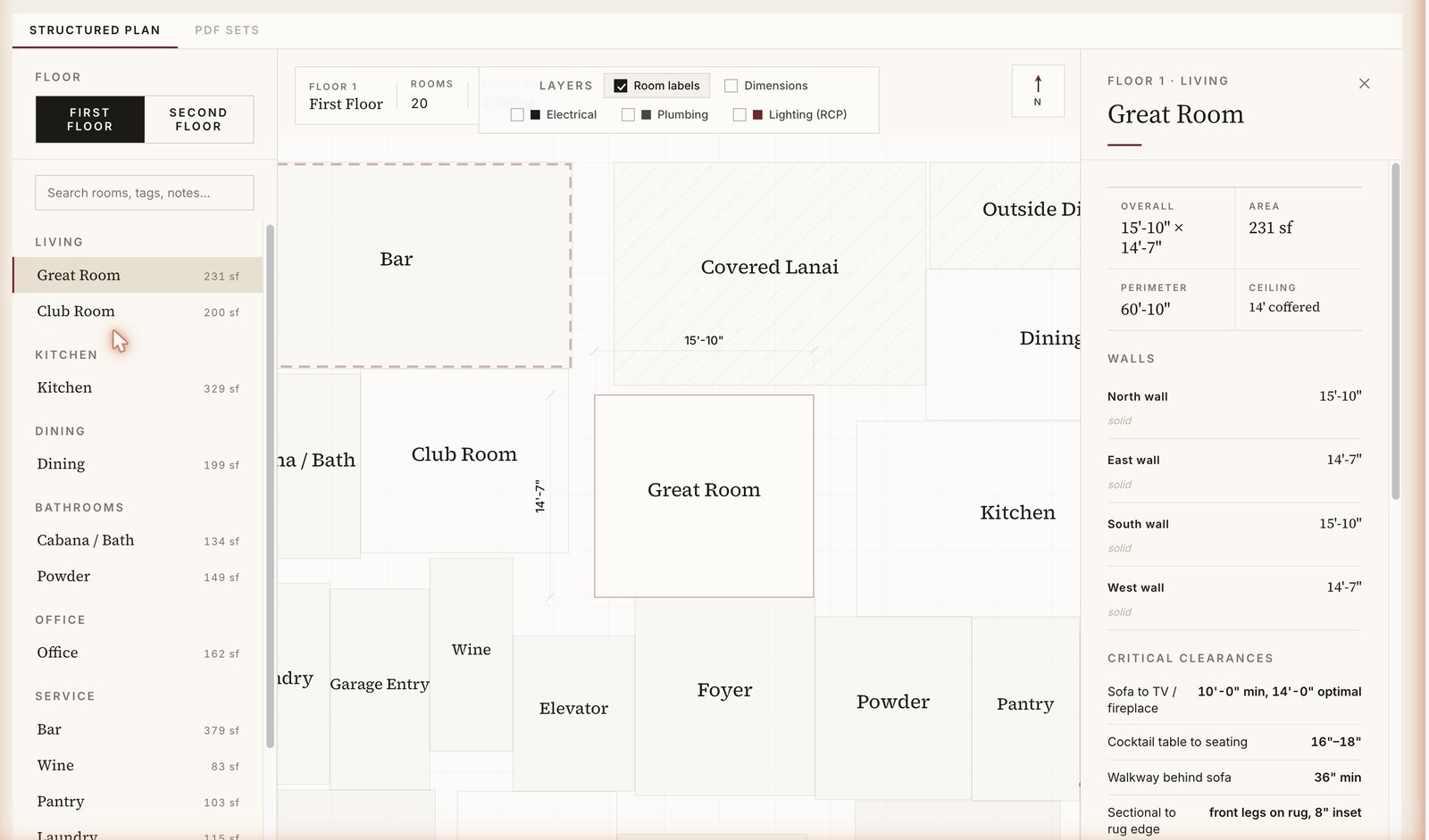
Keep an abstracted, legible version of the floor plan beside you while you curate, instead of wrestling a giant PDF. See what goes where without leaving the board.
More than a time-saver: it's how your work lands.
Ask a working designer what the tool is worth and the time saved comes second. The first thing is how it makes them look. New clients rarely leave over the design itself; they leave over friction, over a designer who feels hard to work with, or behind the times. KLDR is built for both: the hours it gives back, and the impression it leaves in front of the people who hired you.
"The way people do business today is not an Excel spreadsheet. You send someone a 60-page Canva document nobody wants to read, and you feel antiquated, like you're stuck in 1990. People who hire a designer want someone creative, fresh, on the forefront. This makes me look like that."
"It's significant. Otherwise I wouldn't have pivoted to this method."
It reads the price you actually pay.
KLDR's concierge runs on your own Mac and drives your own logged-in Chrome, so it reads the real trade price: the number the vendor only shows once you're signed in, and for some vendors only after the piece is in your cart. A cloud tool is signed out, so it only ever sees the retail price a stranger sees. Your concierge is already you, in your own browser, so it reads the number meant for your account.
It also keeps the studio current for you, in plain language:
Vendors already supported: Bernhardt · Four Hands · Palecek · Universal Furniture · Pottery Barn · Uttermost · West Elm · CB2 · Crate & Barrel · Loloi
Not technical? Setup is a skill install plus one connection step. You never touch code.
It looks like your studio, not ours.
KLDR white-labels to your brand: the app you work in, the PDFs you export, and the share links your clients open. Type your website URL and KLDR reads your studio name, fonts, logo, and colors into a Brand Kit you review before activating. Or paste a Claude design prompt, answer a few plain questions, and get a ready-to-import brand back. One click applies it across the app, the PDFs, and the share links, and "revert to default" undoes it. Minutes, not a white-label engineering project.
"Having my brand on it makes me look legitimate. When I go to a vendor, I want to look big. I want them to give me their biggest tier discount. Anything that legitimizes me is great."
Bring your next house into KLDR.
Start with one project. Curate a room, pull in live vendor data, and watch your budget and margin move together. One house, from the first vendor link to install day, in one place.
One source of truth for every product, price, approval, order, and hand-off, so the work is faster to run, harder to get wrong, and looks, to your client, like the studio they hired.
KLDR Studio is a Headmark product. You work directly with the person who built it.